
A first shader
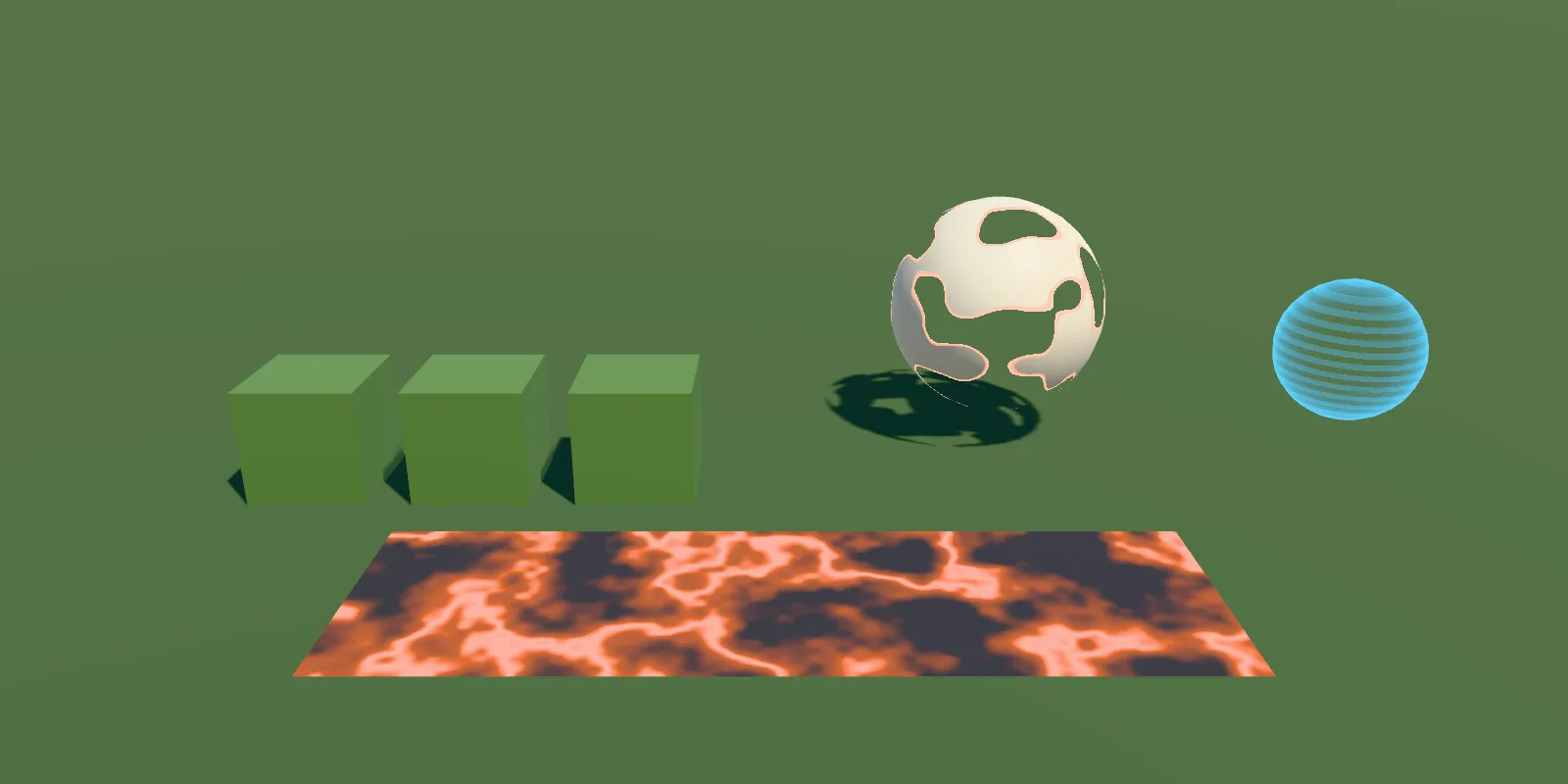
A material’s look can be written by hand: a .wgsl file (WebGPU’s
shading language) with one function in it. The engine does the rest:
lights, shadows, fog, every quality level, skinned characters. Only
what’s different goes in the shader. Screen effects are shaders too,
run over the camera’s whole picture.
Every shader name lists what the engine gives a
shader, with what it does: read it beside your own. A surface reads in.uv,
in.position (in the world), in.normal, in.view (towards the camera),
in.screen and in.color (the material’s). The lab’s
examples/lab/assets/shaders/ has a dozen to copy from (lava, water, grass in
the wind, a hologram, a dissolve, a hit flash, toon light, an old TV), and
dart run fynkel:shader lava writes a new one to start from,
assets/shaders/lava.wgsl, and prints how to use it (--unlit, --effect,
--moves and --light choose what it has).
A first shader
Section titled “A first shader”Put it in assets/shaders/ (list the folder in pubspec.yaml, Loading assets):
struct Values { hot: vec4<f32>, speed: f32 }
fn surface(in: SurfaceInput) -> Surface {    var s = standard(in);    let flow = fbm(in.uv * 6.0 + vec2<f32>(0.0, frame_time() * values.speed));    s.color = mix(vec3<f32>(0.05), values.hot.rgb, flow);    s.emission = values.hot.rgb * flow * flow * 4.0;    return s;}
and give it to a material:
class LavaPool extends GameObject {  late final Material lava;
  @override  Future<void> onLoad() async {    await super.onLoad();    lava = Material(shader: await assets.shader('shaders/lava.wgsl'), values: {'hot': Color(0xFFFF6A10), 'speed': 0.2});    add(GameObject(transform: Transform(scale: Vec3(4, 1, 4)), components: [MeshRenderer(Mesh.plane(), lava)]));  }
void cool() => tween(0.2, 0.0, seconds: 2, onUpdate: (v) => lava.set('speed', v));}-
surfacereturns what the surface is (colour, roughness, glow…), and the engine lights it.standard(in)is the material as the engine has it, its textures and colour in, so a shader changes one thing and keeps the rest.unlitinstead returns the colour as it is, unlit. -
struct Valuesis what the game sets: numbers and vectors off32,i32andu32.values: {...}andmaterial.set(name, value)set them by name, with adouble, anint, aVec2, aVec3, aColor(given to the shader in linear light, as the engine’s own colours are) or a list of numbers.An array,
colors: array<vec4<f32>, 8>, takes a list of those (material.set('colors', [red, green])), up to its length; the rest are 0. A name the shader doesn’t have, or a value of the wrong kind, is anArgumentErrorthat lists what it has.Tween one as above: setting one value writes just its bytes and makes nothing, so every frame is fine; an array or a texture sends the whole material again.
-
Textures:
var rock: color_texture;(colours) orvar heights: texture_2d<f32>;(data), read withsample(rock, in.uv), set like values:material.set('rock', await assets.texture('rock.png')). -
frame_time()is the game’s time, stopping when it’s paused. -
particle_age()(0 to 1 through its life) andparticle_random()(its own number, 0 to 1) tell a particle drawn with the material (Particle basics) from the others; on anything else they’re 0. -
hash,noise,noise3,fbm,fresnel,triplanarandremapare there for patterns, rims and textures without UVs.
A shader in the code
Section titled “A shader in the code”A shader in the code, rather than a file: Shader(source) compiles a
WGSL string (a const in a Dart file) the same way, and throws a
ShaderError saying where it’s wrong. Handy for a short one, or one put
together from parts.
Numbers of each object’s own
Section titled “Numbers of each object’s own”struct PerObject holds up to four
f32s each object sets for itself, so many objects share one material
(and one draw) and still differ: a hit flash.
struct PerObject { flash: f32 }
fn surface(in: SurfaceInput) -> Surface {    var s = standard(in);    s.color = mix(s.color, vec3<f32>(1.0), per_object.flash);    return s;}
class Slime extends GameObject { void hit() { final renderer = get<MeshRenderer>()!; tween(1.0, 0.0, seconds: 0.3, onUpdate: (v) => renderer.set('flash', v)); }}