
Meshes that change
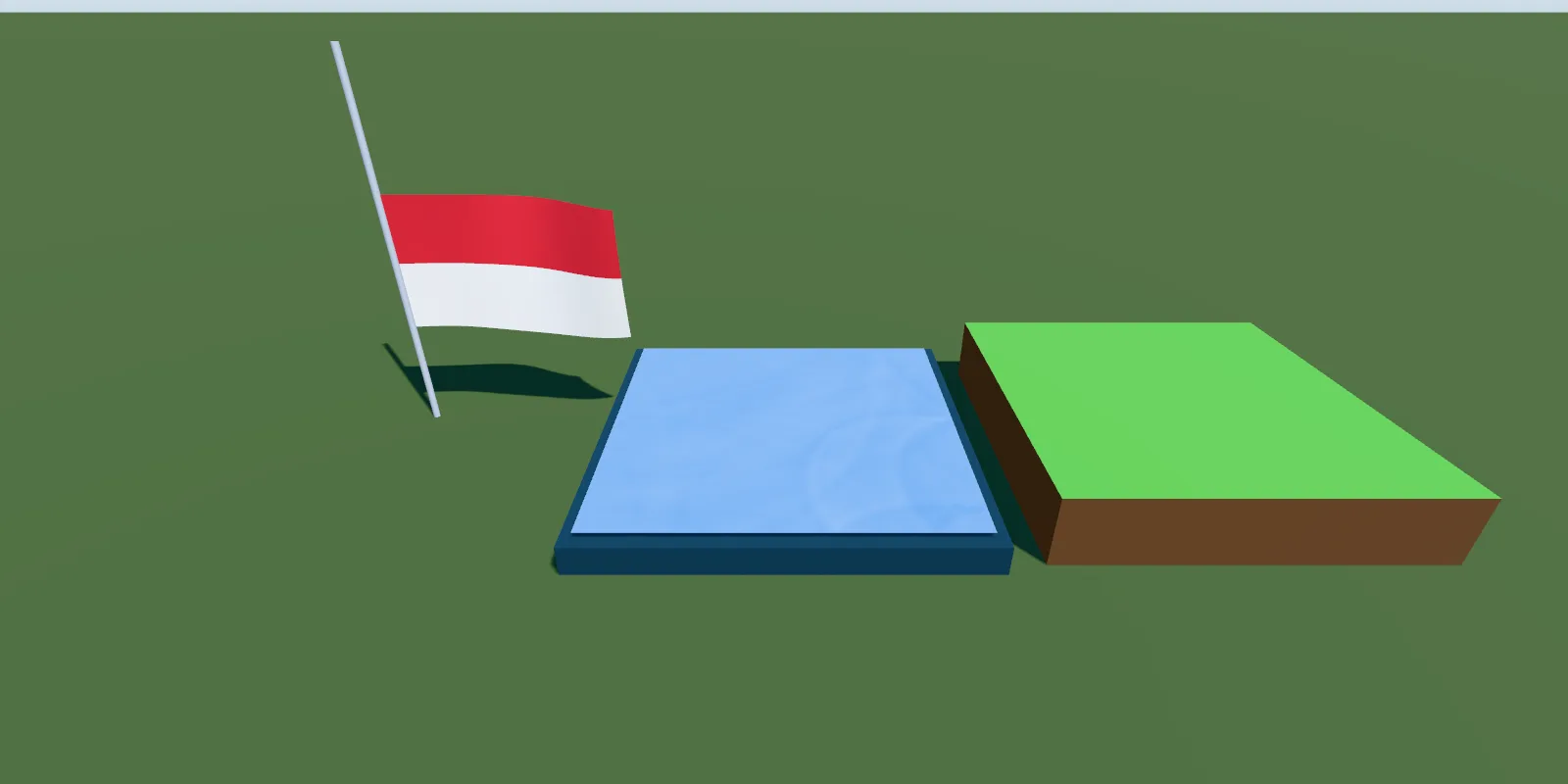
A mesh can be made in code and changed while the game runs, as Unity’s
Mesh is: water rippling, a flag waving, ground dug away. Mesh() is
empty; give it its vertices and triangles, channel by channel, in typed
lists:
import 'dart:math' as math;import 'dart:typed_data';
import 'package:fynkel/fynkel.dart';
/// Water 4 m across that waves: a grid of 64 × 64 squares whose heights/// change each frame, paler on the crests.class Waves extends GameObject {  static const squares = 64, across = squares + 1, size = 4.0;
  final mesh = Mesh();  final _positions = Float32List(across * across * 3); // x, y, z a vertex  final _colors = Uint8List(across * across * 4); // r, g, b, a: 0-255, sRGB
  @override  void onLoad() {    super.onLoad();    final indices = Uint32List(squares * squares * 6);    var at = 0;    for (var z = 0; z < squares; z++) {      for (var x = 0; x < squares; x++) {        final a = z * across + x;        // Two triangles a square, counter-clockwise seen from above.        indices.setAll(at, [a, a + across, a + 1, a + 1, a + across, a + across + 1]);        at += 6;      }    }    _shape(0);    mesh      ..setPositions(_positions)      ..setColors(_colors)      ..setTriangles(indices)      ..markDynamic(); // it changes every frame    addComponent(MeshRenderer(mesh, Material(roughness: 0.15)));  }
  void _shape(double t) {    for (var z = 0; z < across; z++) {      for (var x = 0; x < across; x++) {        final i = z * across + x;        final (px, pz) = (x / squares * size - size / 2, z / squares * size - size / 2);        final y = math.sin(px * 3 + t * 2) * math.cos(pz * 2 + t) * 0.08;        _positions          ..[i * 3] = px          ..[i * 3 + 1] = y          ..[i * 3 + 2] = pz;        final light = (0.5 + y * 6).clamp(0.0, 1.0);        _colors          ..[i * 4] = (40 + 170 * light).toInt()          ..[i * 4 + 1] = (110 + 120 * light).toInt()          ..[i * 4 + 2] = (170 + 80 * light).toInt()          ..[i * 4 + 3] = 255;      }    }  }
  @override  void onUpdate() {    super.onUpdate();    _shape(time.sinceStart);    // The same lists each frame, changed in place: nothing to collect.    mesh      ..setPositions(_positions)      ..setColors(_colors);  }}
In detail
Section titled “In detail”The channels
Section titled “The channels”The channels: setPositions, setNormals, setTangents, setUvs and
setColors (four bytes a vertex, sRGB: they multiply the material’s colour,
white when none are given). Each is read back with positions, normals,
tangents, uvs, colors and indices, new copies each time. clear()
empties it.
Changes go to the screen once a frame
Section titled “Changes go to the screen once a frame”Changes go to the screen once a frame, at the end of World.update,
however many were made: set a channel ten times in a frame and it’s sent
once. Each set copies the list at once, so the game can keep one list and
change it in place each frame, which makes no garbage.
Normals and tangents are worked out for you
Section titled “Normals and tangents are worked out for you”Normals and tangents are worked out for you when they’re sent, unless
the game set its own (tangents only once it has UVs, as they come from
them); recalculateNormals() and recalculateTangents() do it now, as
Unity’s. Setting positions of a different count clears the other channels:
give them again.
markDynamic()
Section titled “markDynamic()”Call markDynamic() for a mesh that changes most frames: the GPU keeps it
where it can be written in place (Unity’s MarkDynamic). A mesh changed now
and then doesn’t need it.
setTriangles(indices, submeshStarts: [n]) makes two parts, the
second starting at index n; MeshRenderer.materials gives each its
material, the first part the first (Unity’s submeshes and
Renderer.sharedMaterials). submeshCount and submesh(i) read them.
A MeshCollider follows its mesh
Section titled “A MeshCollider follows its mesh”A MeshCollider follows its mesh (Colliders):
after a change to its positions or triangles it’s made again on the next
physics step, and what lies on it wakes. Colours, UVs, normals and tangents
leave it as it is (mesh.shapeVersion counts the changes it follows).
Making it again takes time (about 0.2 ms for 1,000 triangles and 3 ms for 10,000 on a Mac), so it suits ground dug where it’s tapped, not water that moves every frame: that shouldn’t have one.
What it costs
Section titled “What it costs”The lab’s water and flag, about 10,900 vertices changed every frame with their normals worked out, take the engine about 1.3 ms a frame on a Note10+ and 0.2 ms on a Mac, on top of the game’s own work out of the new shape.
A few thousand vertices a frame is nothing; tens of thousands want a look at
world.profile (Measuring): its meshes is what
sending them took. Built-in shapes and models’ meshes can’t be changed: copy
what you need into a Mesh().
The lab’s “Meshes that change” has a flag, water, and ground to dig (examples/lab/lib/scenes/meshes_change.dart).