
Sky and fog
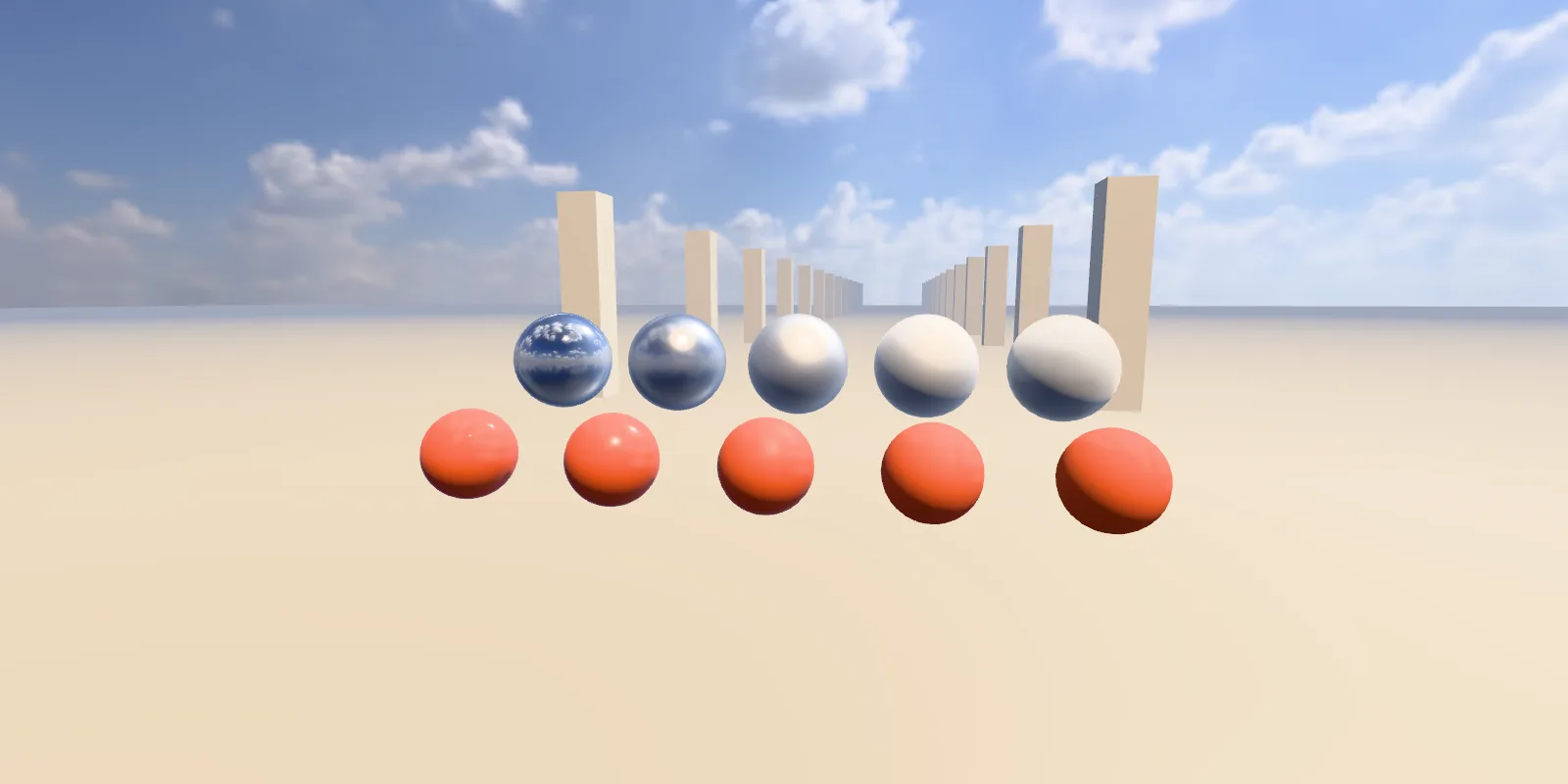
world.sky is what’s behind everything, and it lights the scene. A new
world has Sky.daylight, a clear day’s gradient much like the one
below, with a grey ground. world.sky = null takes it away: then the camera’s
clearColor shows, and only the lights light the scene, so the sides the
sun misses are black without a Light.ambient.
/// A clear day: deep blue overhead, pale at the horizon, the far field/// fading into it.void clearDay(World world) {  world.sky = Sky.gradient(    zenith: Color.rgb(0.25, 0.49, 0.78),    horizon: Color.rgb(0.83, 0.89, 0.94),    ground: Color.rgb(0.43, 0.42, 0.38),  );  world.fog = const Fog(start: 20, end: 120);}
/// A photographed sky, which shiny things mirror.Future<void> photographedSky(World world) async {  world.sky = Sky.image(await world.assets.skyImage('sky.hdr'), rotation: 90.deg);}
Sky.gradient
Section titled “Sky.gradient”Sky.gradient goes from zenith straight up to horizon level, and to
ground (the horizon’s, unless given) straight down. Its colours are shown
as picked, so a game can take them from its theme:
scheme.tertiary.toFynkel() (One look for app and game).
Sheepdog sets a day sky in its light theme and a night one in its dark.
Sky.image
Section titled “Sky.image”Sky.image is a Radiance .hdr, equirectangular (twice as wide as
high): its middle is ahead (−Z), its top row straight up. Poly Haven has
hundreds, CC0; the 1k or 2k ones are plenty, as the sky is seen only behind
everything. Its intensity scales its light; rotation turns it to the
right. Load it as an asset, assets.skyImage(name) (Loading
assets), or from bytes with SkyImage.load.
Sky.color
Section titled “Sky.color”Sky.color is one colour, as clearColor is, but it lights the scene
too: it adds to the ambient light.
It lights the scene
Section titled “It lights the scene”A gradient or an image is blurred once, on the GPU, when it’s set (a few milliseconds), into the light each way gets. Only a new image is blurred again: an image turned or made brighter, and a gradient of other colours (a day passing), cost nothing more each frame than a still sky.
What faces up is lit by the zenith and what faces down by the ground; a
shiny surface mirrors the sky, a rough one shows only its colour, and metal
in between shows it blurred. lighting scales that light (0 for none)
without changing what’s seen of the sky.
A sky that lights does the ambient light’s work: a scene that had a
Light.ambient wants it dimmer.
What’s mirrored is the sky alone
Section titled “What’s mirrored is the sky alone”The ground and other objects aren’t seen in a shiny surface, nor do they hide the sky from it. A ball in a room still mirrors the sky outside.
Nothing hides the sky’s light either
Section titled “Nothing hides the sky’s light either”A roof or a cave’s rock doesn’t
keep it out, so under one the sky lights as it would outside. For a cave or
a room lit by its lamps, give it a dark sky (Sky.color(...)) or none.
world.sky and world.fog belong to the world, not to a level: a game of
several places sets them in each place’s onLoad.
Camera.showSky = false
Section titled “Camera.showSky = false”camera.showSky = false keeps a camera’s clearColor behind everything
(a minimap looking down on the field), while the sky still lights what it
shows. For a background of one colour with no sky light at all, world.sky = null and the camera’s clearColor.
Fog fades what’s further than start metres from the camera into its
color, all of it by end. Without a color it’s the sky’s horizon, so far
things melt into the sky; with no sky, the camera’s clear colour.
height thins it upwards, halving every height metres above y = 0: mist
lying in a valley. It costs almost nothing, at every level. The lab’s ‘Look:
sky and fog’ scene shows each kind of sky, metal from a mirror to rough, and
fog over an avenue 100 m long.