
Shapes and a mesh builder
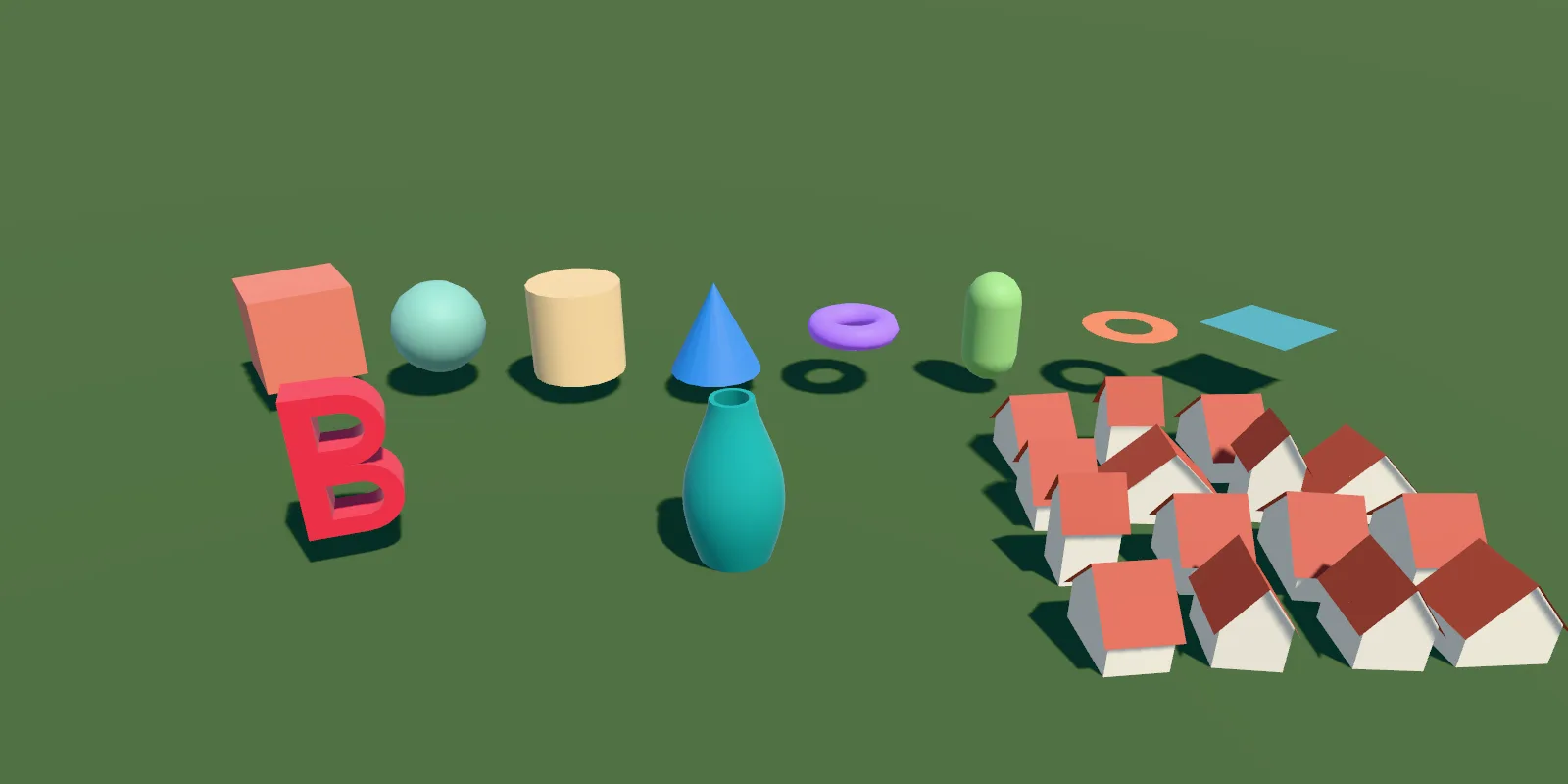
Most meshes a game makes aren’t vertex by vertex. There are shapes with settings, outlines made solid, and a builder for the rest:
// Shapes with sizes and segments. Boxes and grids are textured by the// metre (uvPerMetre), so a long wall tiles like a short one.final wall = Mesh.box(size: Vec3(6, 2.5, 0.2), segmentsX: 6);final ground = Mesh.grid(width: 40, depth: 40, segmentsX: 80, segmentsZ: 80);final pillar = Mesh.cylinder(radius: 0.2, height: 3, segments: 12);final ball = Mesh.sphere(radius: 2, segments: 48, rings: 24);final roof = Mesh.cone(radius: 1.2, height: 0.8, segments: 4); // a pyramidfinal ring = Mesh.torus(radius: 1, tube: 0.1);final pad = Mesh.disc(radius: 1.5, inner: 1.2); // a ring flat on the groundfinal pill = Mesh.capsule(radius: 0.3, height: 1.4);
// An outline with holes, made solid: a window frame 10 cm thick.final frame = Shape2D.rounded(1.2, 1.6, 0.1).withHole(Shape2D.rect(1, 1.4));final window = Mesh.extrude(frame, depth: 0.1);
// A profile turned around Y: (distance from the axis, height), with// the outside on the right of the way it goes.// 24 slices around unless `segments:` says, as the round meshes.final bowl = Mesh.lathe([Vec2(0, 0), Vec2(0.3, 0), Vec2(0.5, 0.3), Vec2(0.46, 0.3), Vec2(0.27, 0.04), Vec2(0, 0.04)]);- The shapes without settings stay as they were:
Mesh.sphere()is still the one shared sphere. Give any setting and it’s a new mesh of its own. A setting that makes no shape (2 segments, a size of 0) throws anArgumentErrorthat says which. Shape2Dis an outline in the XY plane:Shape2D.rect,circle,rounded, or any list of points, either way round;withHolecuts another out of it (inside it: a hole outside is refused, and holes mustn’t overlap).Mesh.extrudefills the ends and walls the sides; corners sharper than 40° are sharp and the rest smooth, so a circle comes out round and a square square.MeshBuilderbuilds the rest a face at a time, in plain Dart:
/// A shed: four walls (part 0) and a flat roof (part 1).Mesh shed(double w, double d, double h) { final b = MeshBuilder(); // Each face counter-clockwise seen from outside, bottom left first. b ..addQuad(Vec3(-w, 0, d), Vec3(w, 0, d), Vec3(w, h, d), Vec3(-w, h, d)) ..addQuad(Vec3(w, 0, -d), Vec3(-w, 0, -d), Vec3(-w, h, -d), Vec3(w, h, -d)) ..addQuad(Vec3(w, 0, d), Vec3(w, 0, -d), Vec3(w, h, -d), Vec3(w, h, d)) ..addQuad(Vec3(-w, 0, -d), Vec3(-w, 0, d), Vec3(-w, h, d), Vec3(-w, h, -d)) ..submesh(1) ..color = Color(0xFF884422) ..addQuad(Vec3(-w, h, d), Vec3(w, h, d), Vec3(w, h, -d), Vec3(-w, h, -d)); return b.build();}addTriangle and addQuad give each face its own flat corners;
addVertex and addIndices share vertices, so faces meeting at one
are smooth there (MeshBuilder(flat: true) makes them faceted
anyway). submesh(n) picks the part, color colours the vertices
after it, and addMesh adds another mesh, placed. build() makes a new
mesh; applyTo(mesh) puts it in one there is, so stairs or a fence
rebuilt when they change keep one mesh. clear() and build again:
once its lists are big enough a builder makes no garbage.
Mesh.combinejoins meshes into one (Unity’sCombineMeshes): houses, rocks or fence posts that never move apart, drawn with one draw a material instead of one each:
GameObject town(List<(double, double)> plots, Material walls, Material roofs) { final town = Mesh.combine([ for (final (x, z) in plots) CombineInstance(shed(1, 1, 1), position: Vec3(x, 0, z)), ]); return GameObject(components: [MeshRenderer(town)..materials = [walls, roofs]]);}Part n of each mesh goes into part n of the result, so the town above is two draws, however many sheds. A mirroring scale turns a mesh’s triangles round so it still faces out. A combined mesh is one object: it can’t be culled a house at a time, so keep each one to a neighbourhood rather than the whole map.
- What it costs: these are made in Rust. A shape or an extrusion of a
few thousand triangles takes well under a millisecond; for a big one,
make it in
Mesh.inBackground(() => Mesh.grid(...)).
The lab’s “Building meshes” has every shape with sliders for its settings, a letter B with its holes, a vase, and a town built and combined (examples/lab/lib/scenes/meshes_build.dart).